SwingDraw Get the app $14.99
Golf swing analyzer · iPhone & iPad

See the swing you actually made.

SwingDraw turns range video into a clear review: swing path and body tracking, lines and angles, frame-by-frame slow motion, and side-by-side comparison, with notes that stay attached to each swing.

$14.99Pay once
  • No subscription
  • No in-app purchases
  • No ads
  • No account

U.S. App Store price, checked September 25, 2026. Family Sharing supported.

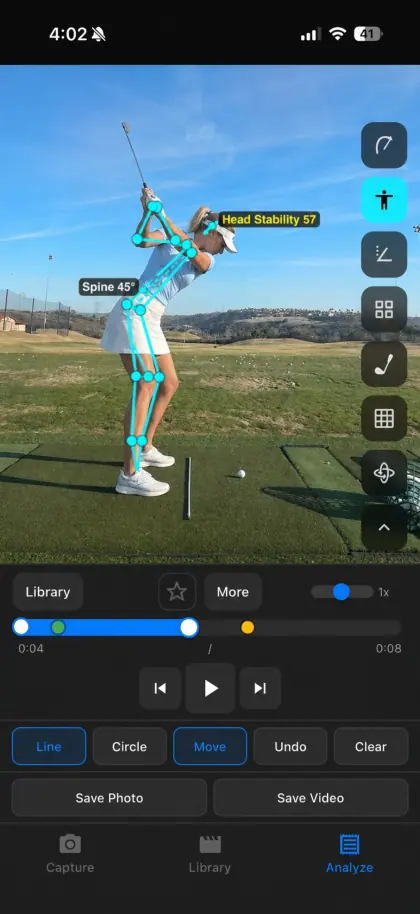
SwingDraw body tracking skeleton with head stability and spine angle labels
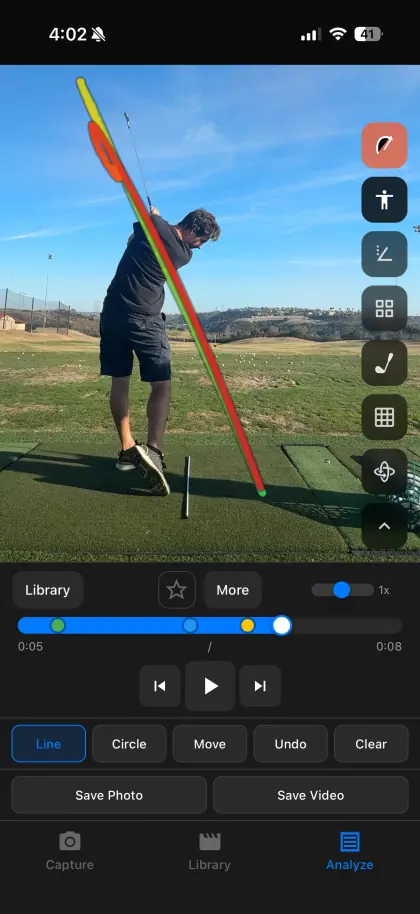
SwingDraw swing path trace over a golfer at the top of the backswing
Swing path traceBody trackingHead stability
Price
$14.99 once
Devices
iPhone + iPad
Requires
iOS 17.6+
Your videos
Stay on device
What you see

Three layers.
One honest look.

Turn on an automatic overlay, or place your own reference. Every layer sits on your actual video, so you can check it against what really happened.

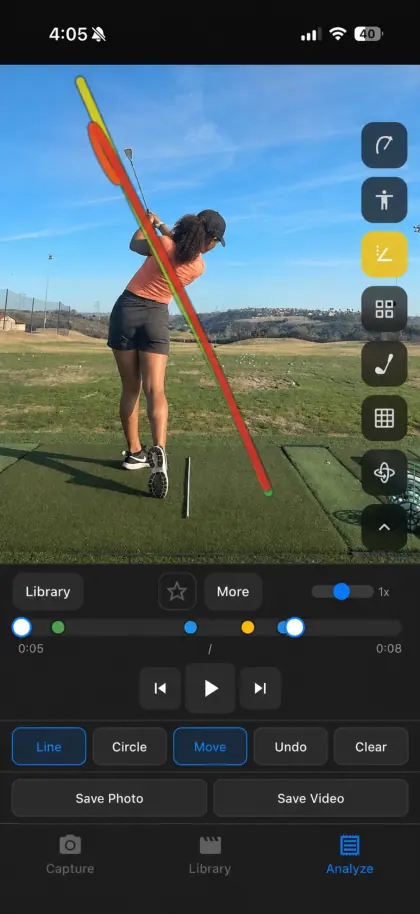
SwingDraw swing path trace over a golfer in a down-the-line range video
Swing path

Trace the club through the swing.

Clubhead tracking draws the path from takeaway through the finish, colored by phase, so an over-the-top move or a changed backswing is visible, not guessed.

Blur, a hidden club, or low light can break the trace. Compare it with the raw video.
SwingDraw body tracking skeleton with head stability and spine angle labels
Body & head

Watch posture and head movement.

On-device body tracking adds a skeleton, a spine-angle label, and a Head Stability score from address to impact, so you can check sway and dip on video.

Angles are measured in the 2D camera image, not 3D. How the numbers work.

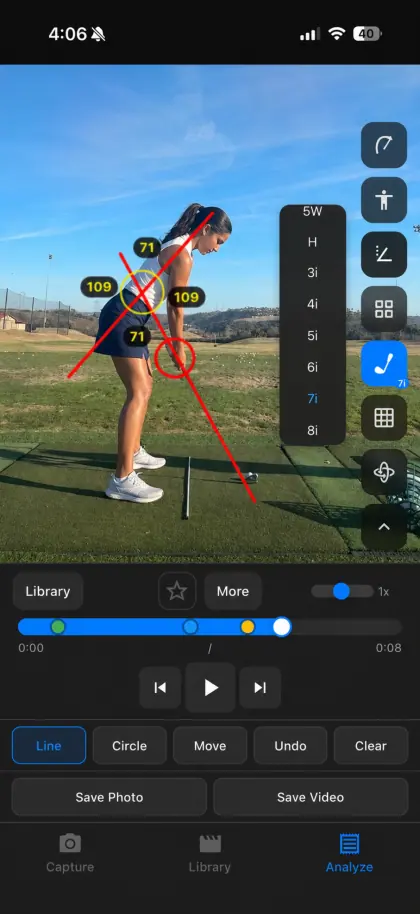
SwingDraw lines, circle, and angle measurements drawn over a golf swing
Your marks

Draw the line your coach would.

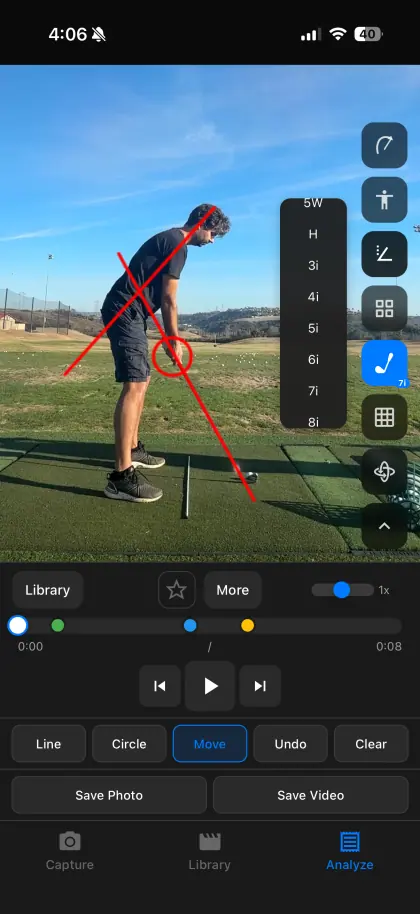
Lines, circles, arrows, freehand, and angle tools. Place a shaft-plane line at address, then step frame by frame and see where the club goes.

Move and fine-tune any mark with edit handles. Undo and Clear are one tap away.

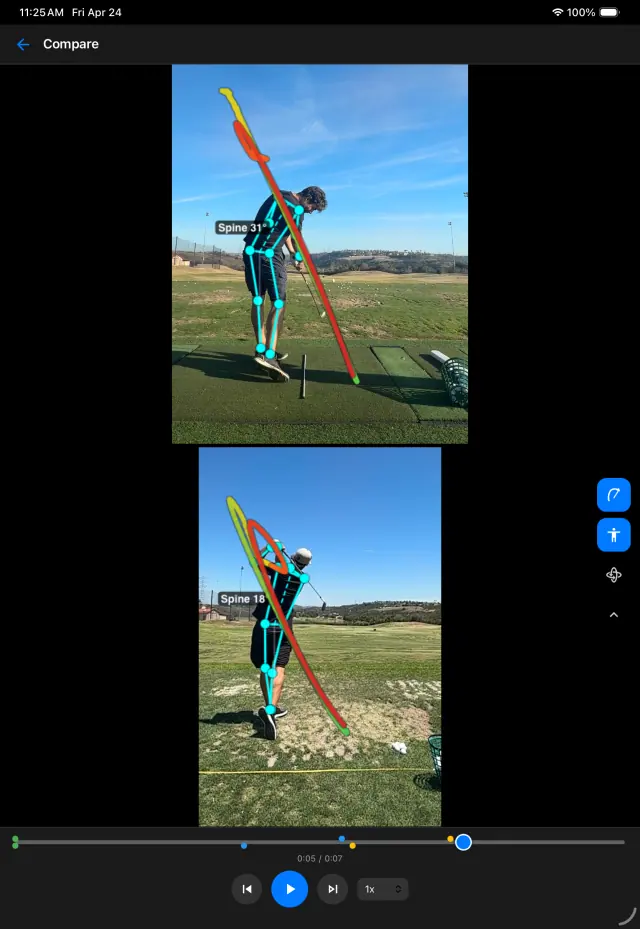
SwingDraw side-by-side swing comparison on iPad
Compare

Last month’s swing.
Next to today’s.

Open two saved swings side by side, play them together from address, and step both a frame at a time. It is the fastest way to see whether a lesson change actually showed up.

  • Shared timeline aligned at detected address
  • Overlays and drawings in both panels
  • Pan and zoom to setup, the top, or impact
  • Works on iPhone; roomier on iPad
How to make a fair comparison
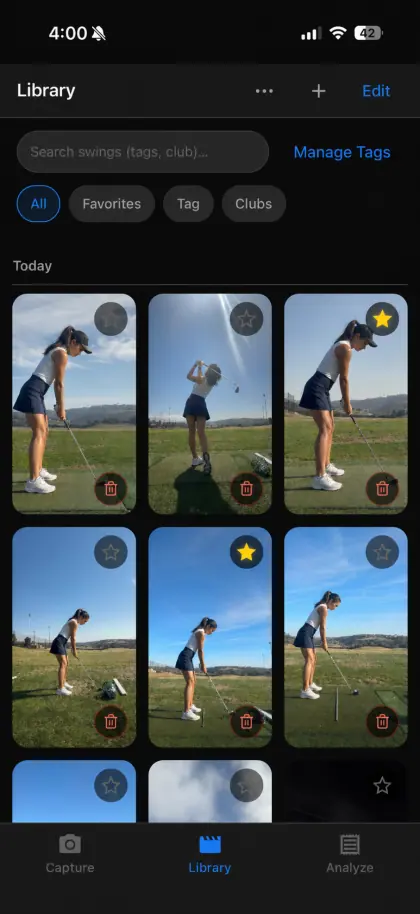
SwingDraw swing library with thumbnails, favorites, tags, and club filters
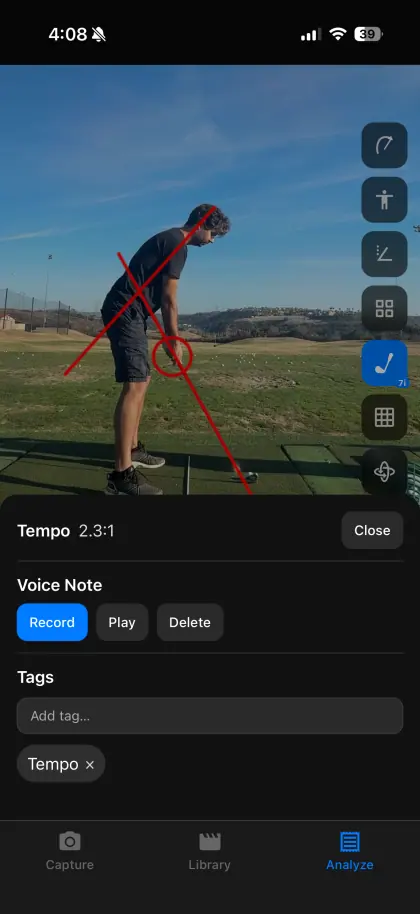
SwingDraw notes panel showing tempo ratio, voice note, and tags for a saved swing
Remember

Keep the reason
with the rep.

A camera roll full of swings is not a practice record. SwingDraw keeps each swing with the context that makes it useful later.

  • Library with thumbnails, favorites, and custom tags
  • Filter by club: driver, irons, wedges
  • Voice notes recorded on the swing itself
  • Tempo ratio from detected address, top, and impact
  • Range sessions that detect, trim, and keep the swings worth saving
Build a practice journal
The scorecard

Pay once, or
pay every year?

Most golf swing apps are free to download and charge a subscription for the full toolset. Here is the honest trade-off. Full comparison with sources.

SwingDraw vs. subscription swing apps · checked September 25, 2026
HoleSwingDrawTypical subscription app
What it costs$14.99 onceFree download; premium plans such as V1 Golf+ $69.99/yr, OnForm Individual Standard $99.99/yr, 18Birdies Premium $99.99/yr
Draw lines & angles, compare two swingsIncludedOften free or included, depending on the app and plan
Automatic fault diagnosis & drillsNot offeredOffered by AI apps like GolfFix, 18Birdies, and Sportsbox
Remote lessons with a coachNot offeredOffered by V1 Golf, OnForm, and CoachNow
Account & cloud uploadNone; videos stay on deviceUsually an account with cloud storage

Competitor prices are U.S. list prices from each publisher’s pricing page or App Store listing, checked September 25, 2026. Prices change; confirm before buying.

Honest limits

What SwingDraw
won’t do.

Knowing the limits up front saves you $14.99 if it isn’t the right tool.

  • No ball-flight, club-speed, or launch-monitor numbers
  • No automatic swing grade, fault diagnosis, or drill plan
  • No 3D motion capture; angles are measured in the camera image
  • No coach marketplace, remote lessons, or cloud sync between devices
  • No Android or web version, and English only
Read the full product facts
SwingDraw angle tool and club picker over a golfer at address
Before you download

Straight answers.

Read every question, or email the developer from the support page.

How much does SwingDraw cost?

$14.99 once on the U.S. App Store. There is no subscription, no in-app purchase, and no ads, so every tool is included from the first launch. Apple shows your local price before you buy, and Family Sharing is supported.

Does SwingDraw tell me what is wrong with my swing?

No. SwingDraw shows you the swing clearly: overlays, lines, angles, and side-by-side comparison. It does not grade your swing or prescribe fixes. If you want automatic fault detection, an AI coaching app or a qualified instructor is the better fit.

Can I use videos I already recorded?

Yes. Import one clip or several at once from Photos, or record in the app with a range session that detects and trims swings for you.

Does it measure club speed or ball flight?

No. SwingDraw works from the video only. It cannot measure ball speed, spin, carry, or club speed. Use a launch monitor for those numbers.

Are my swing videos uploaded?

No. Your library stays on your iPhone or iPad unless you export or share a clip yourself. There is no account, and the App Store privacy label is “Data Not Collected”.

Does it work on iPad?

Yes. SwingDraw is a universal app for iPhone and iPad running iOS or iPadOS 17.6 or later. The larger iPad screen is useful for side-by-side comparison.

SwingDraw for iPhone & iPad

Your next range session,
on the record.

Record or import a swing, mark the frame that matters, and compare it with last week. Every tool is included.

$14.99One time on the U.S. App Store. No subscription, in-app purchases, ads, or account. Family Sharing supported.Download on theApp Store